Proksee News
New Feature: Notes for Projects and Jobs
Jul 21, 2026
Proksee now supports notes for both projects and individual jobs. To add project notes, open the About tab and click Notes. This opens a dedicated Notes tab. Job notes are available from each job’s Notes card (shown below).
Notes are saved automatically and support Markdown formatting, including headings, lists, links, quotes, code, and tables. Use Split mode to edit a note and see its formatted preview side by side.
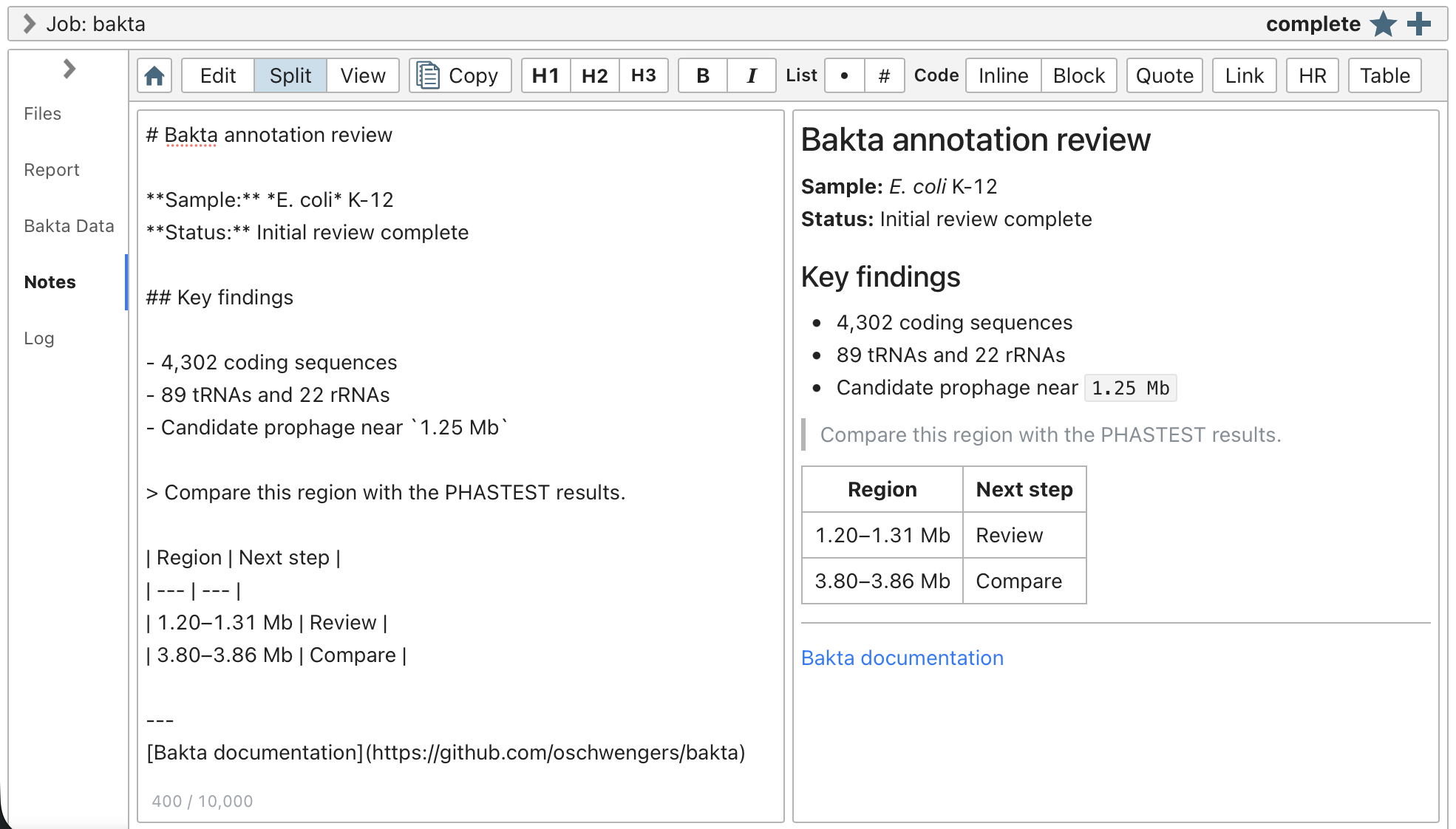
The Notes card in Split mode, showing Markdown source and its formatted preview.
2026-07-21