Proksee News
Proksee’s Bakta tool now offers both the Light and Full versions of Bakta DB 6.0. Until now, Bakta jobs in Proksee used only the Light database.
The Light database remains the faster default. Select Full when starting a Bakta job for more comprehensive annotations. When possible, Bakta uses the Full database to assign COG functional categories to CDS features.

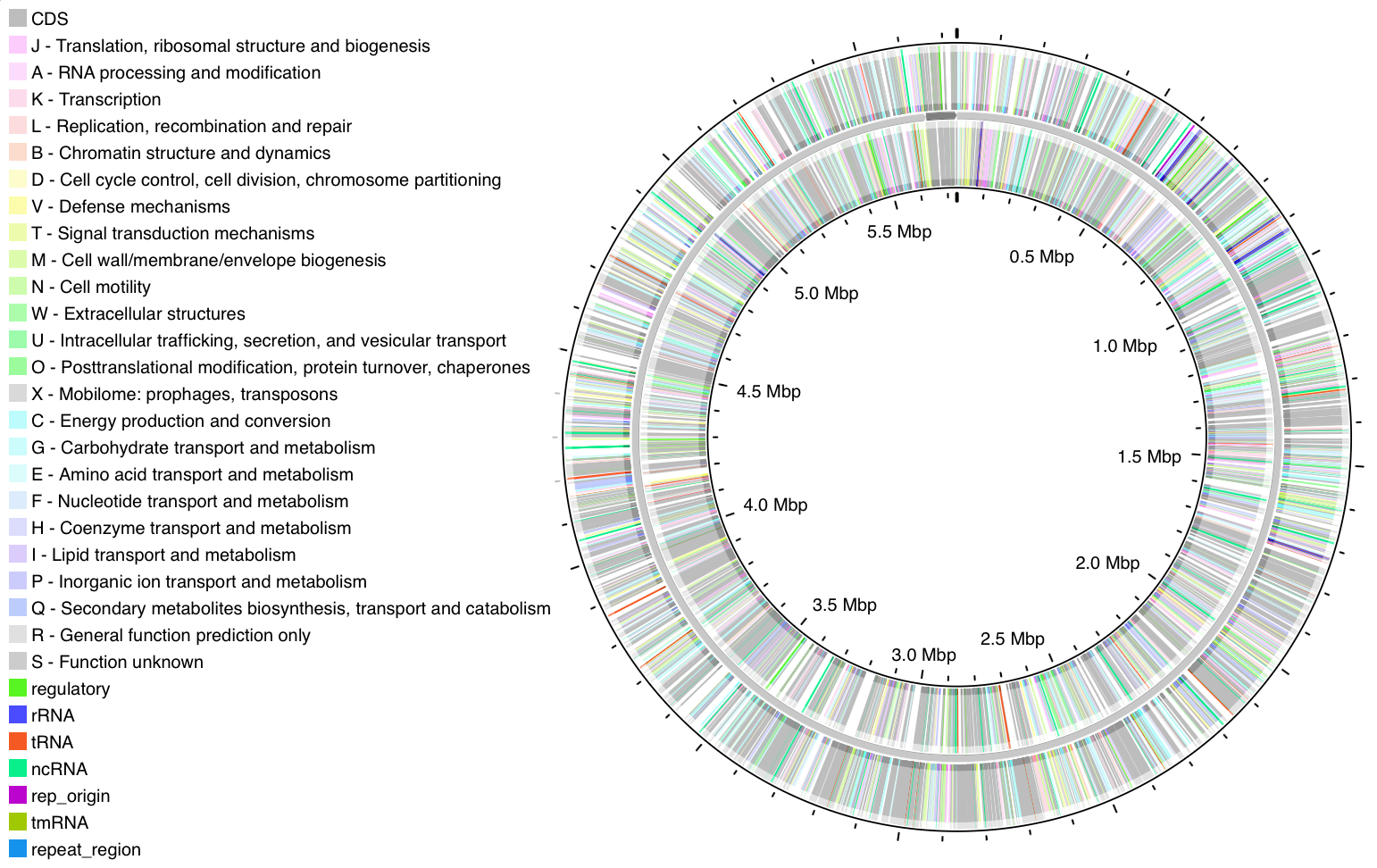
When results contain COG assignments, a new Color CDS by COG option is available when adding them to the map. This colors each CDS feature by its first available COG functional category letter. You can also choose how categories appear in the legend, from the category letter alone to the letter and its description.

COG categories are retained as feature metadata, making them available in feature details and searches.
A new tool has been added to Proksee:
Genome Artistry
- Create poster-style comparative genome maps from a reference genome and one or more comparison genomes.
- Color aligned regions by sequence identity so conservation patterns can be seen across many related genomes.
- Choose from linear, wrapped, circular, and spiral layouts.
- Apply built-in color schemes, legends, labels, and optional info panels.
- Download figure outputs and summary metadata for downstream review.
Genome Artistry turns reference-based genome comparisons into polished visual summaries. It aligns each comparison genome to a reference coordinate system, colors retained alignment blocks by percent identity, and leaves unaligned regions visible as gaps or dark no-hit regions. The result is useful for quickly scanning broad conservation patterns and for creating communication-ready figures from comparative genome analyses.
The available layouts are:
- Linear: shows each comparison genome as a horizontal row across the reference coordinate system.
- Wrapped: splits the reference into shorter sections so long genomes can be reviewed in stacked blocks.
- Circular: arranges genomes as concentric rings around the reference coordinate system.
- Spiral: draws the comparison set as an Archimedean coil, with one loop per genome.
The examples below use an E. coli K-12 MG1655 reference genome with 16 related E. coli assemblies. The light-mode figures use the Daylight color scheme, and matching dark-mode figures using the Aurora color scheme. In both versions, the legend maps lower-to-higher sequence identity across the retained minimap2 alignments.
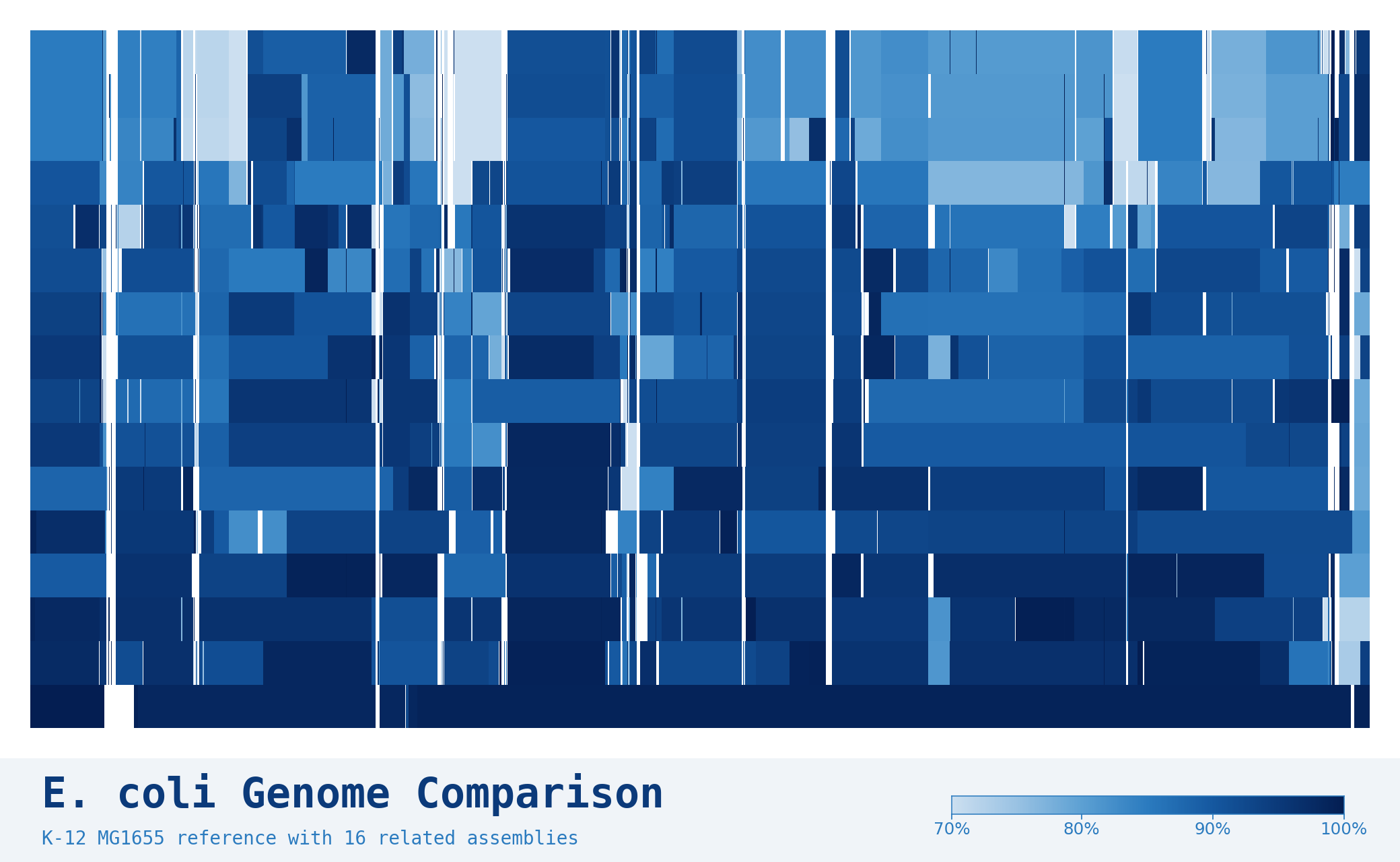
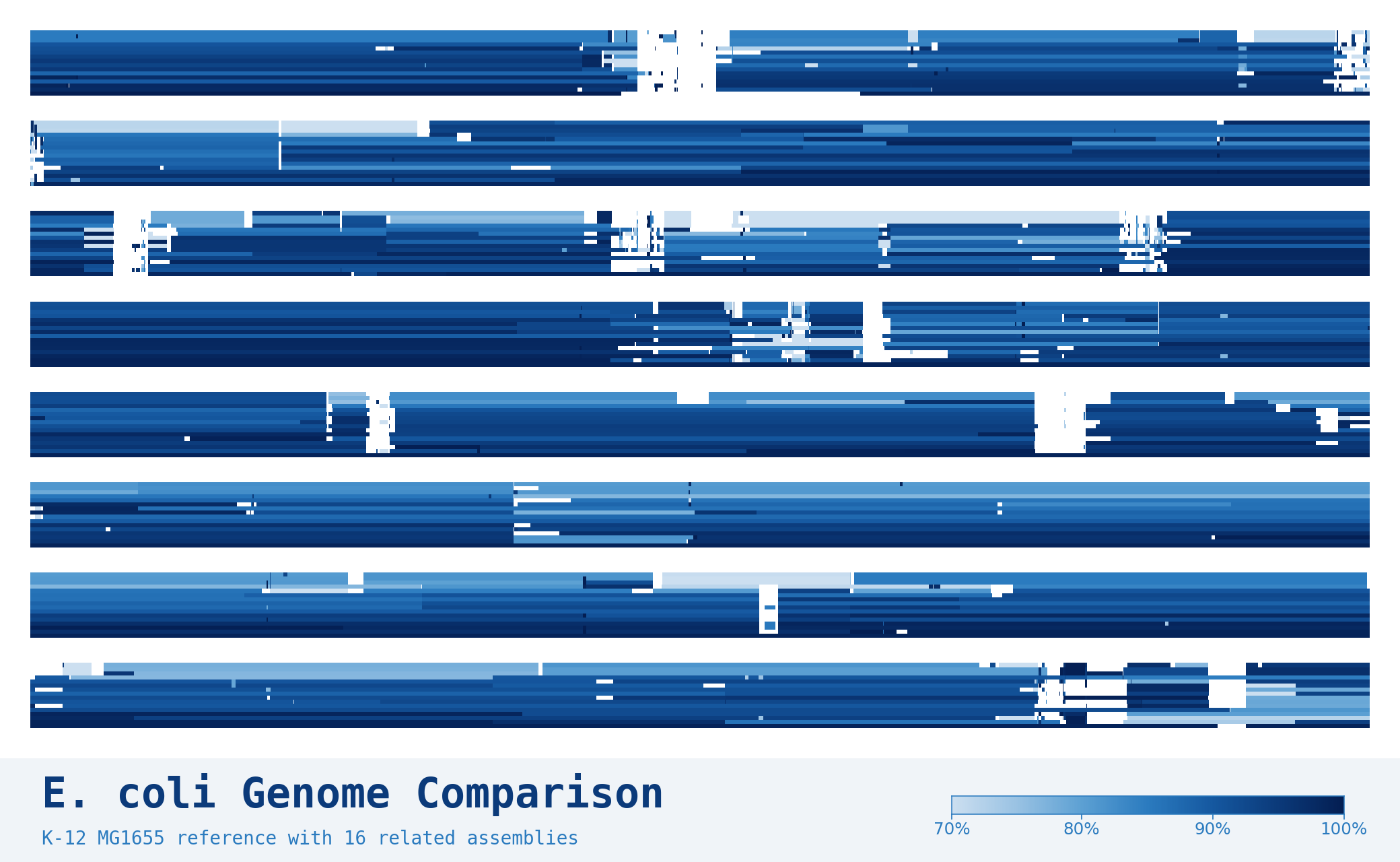
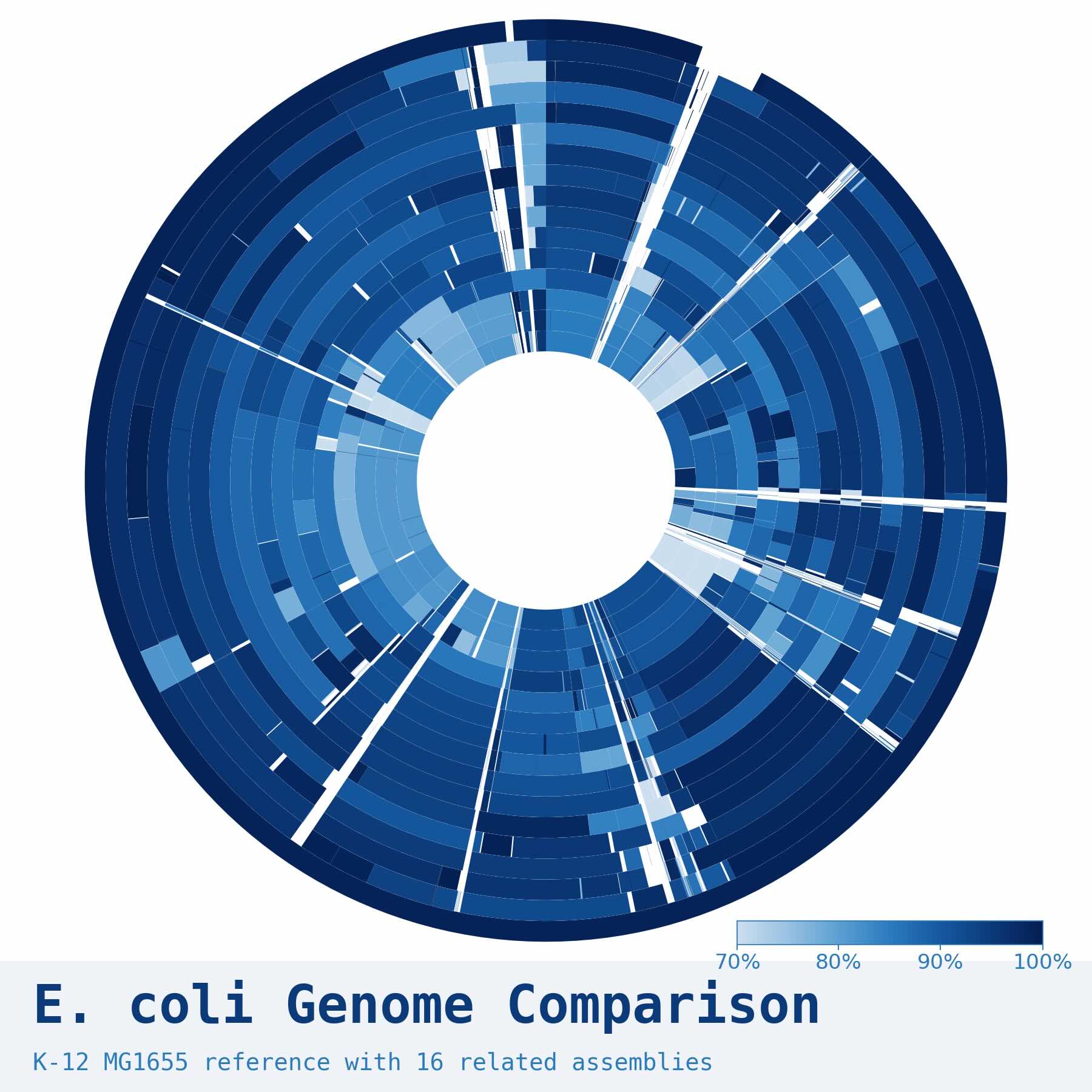
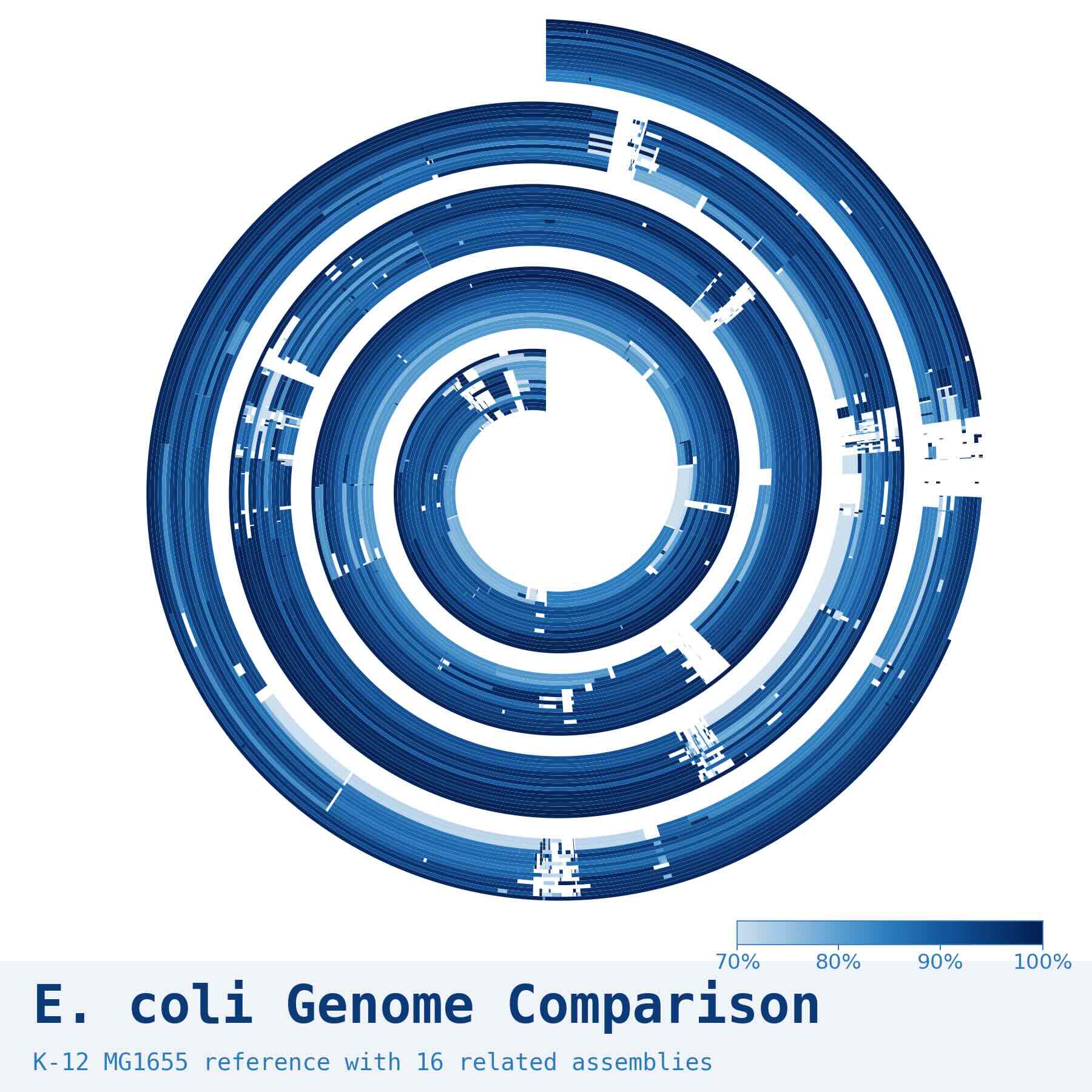
Genome Artistry uses minimap2-based alignments and is designed for microbial-scale genome comparisons. It can be used to review conservation patterns across related assemblies, explore how layout and color choices affect interpretation, and produce high-resolution figures for reports, posters, and presentations.
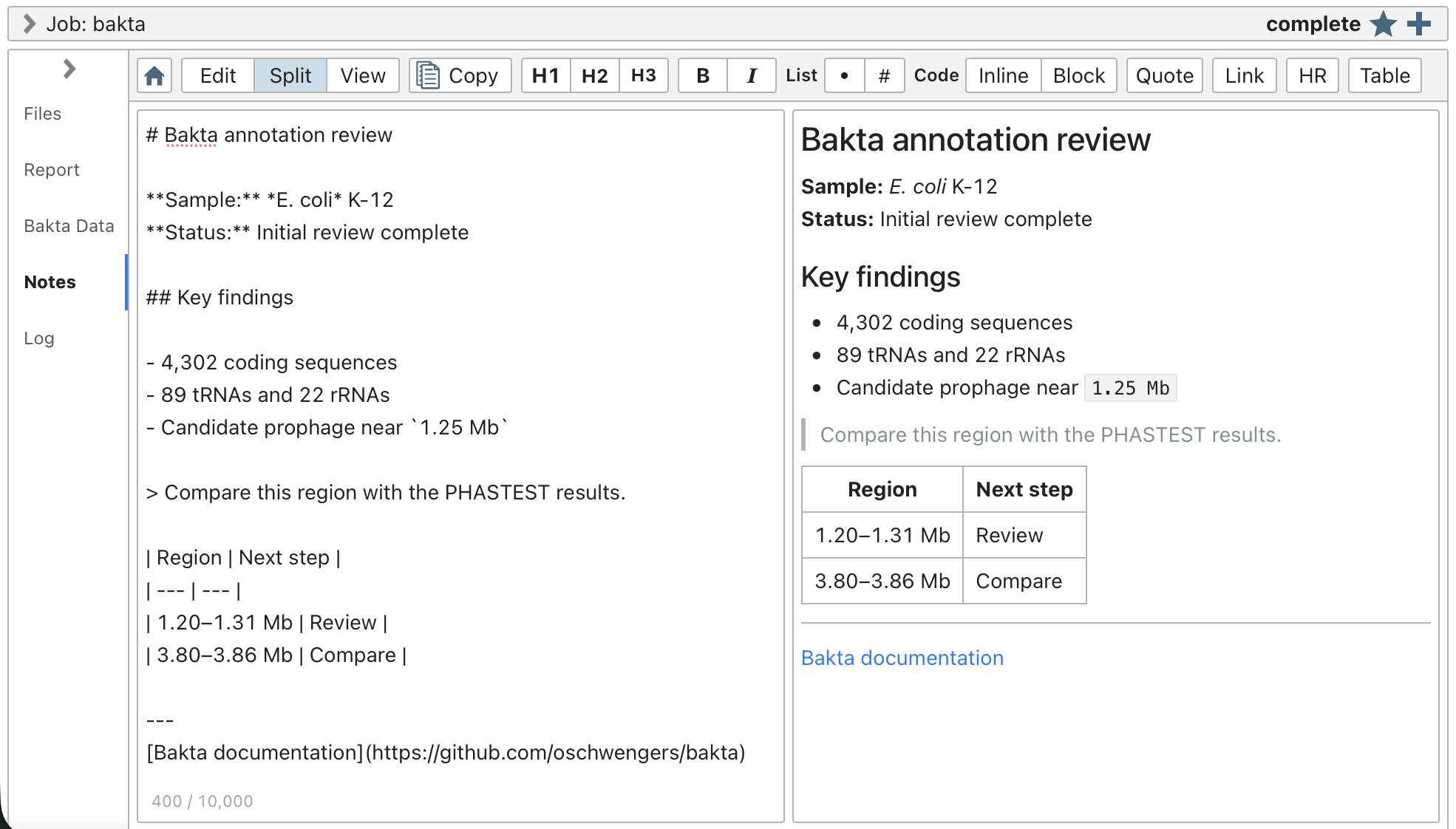
Proksee now supports notes for both projects and individual jobs. To add project notes, open the About tab and click Notes. This opens a dedicated Notes tab. Job notes are available from each job’s Notes card (shown below).
Notes are saved automatically and support Markdown formatting, including headings, lists, links, quotes, code, and tables. Use Split mode to edit a note and see its formatted preview side by side.
A new tool has been added to Proksee:
Genome Loom
- Create comparative genome ribbon plots from a reference genome and one or more comparison genomes.
- Visualize conserved sequence blocks, rearrangements, inversions, missing regions, and assembly fragmentation across related genomes.
- Generate several complementary views from the same analysis.
- Download figure outputs and summary metadata for downstream review.
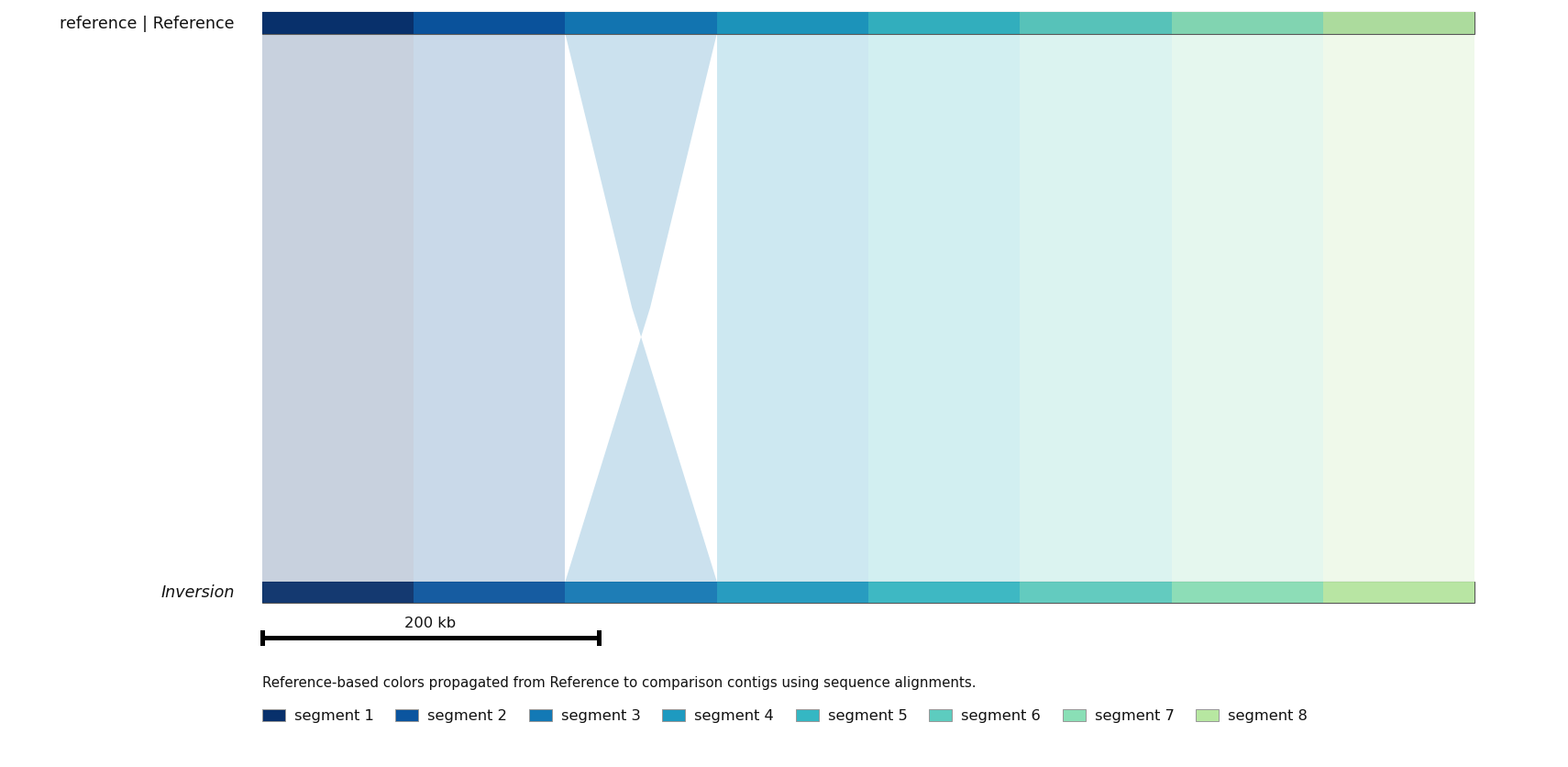
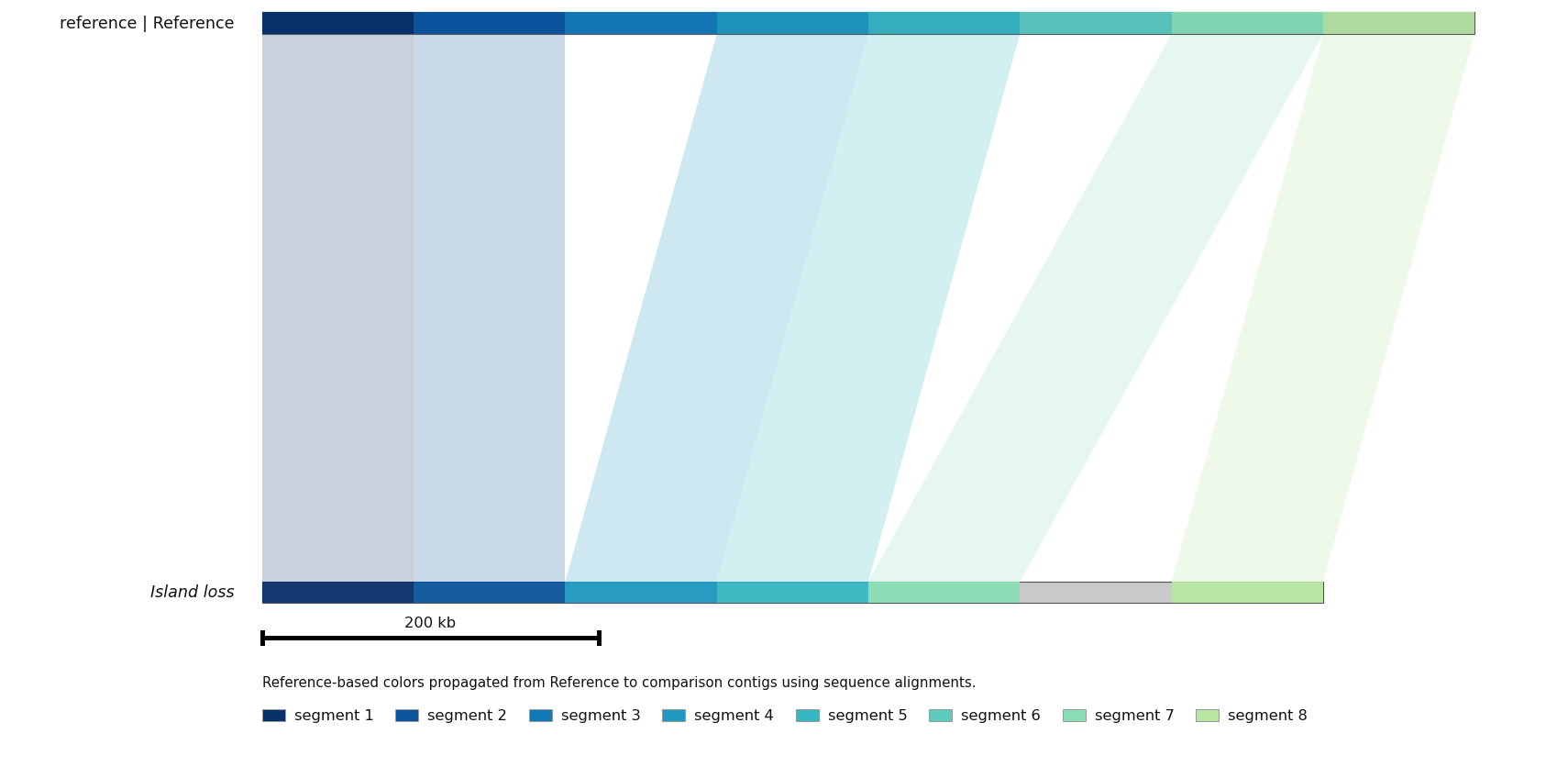
Genome Loom adds a ribbon-based view for comparing genome structure. It follows aligned regions from a reference into related assemblies, making it easier to see shared sequence context, inversions, rearrangements, assembly breaks, and regions that are present in some genomes but absent in others.
The available views are:
- Overview: shows the reference genome aligned to all comparison genomes in one stacked figure.
- Neighbor-chain: shows ribbons only between adjacent rows in the selected genome order, making stepwise relationships easier to follow.
- All-pairs: creates two-genome figures for every selected pair, including pairs that do not include the reference.
The examples below use a compact E. coli-derived reference region with two closely related synthetic variants. One variant contains a local inversion, and the other has a deleted/reordered segment. The reference is divided into ordered color segments so that sequence position can be followed through the ribbons.
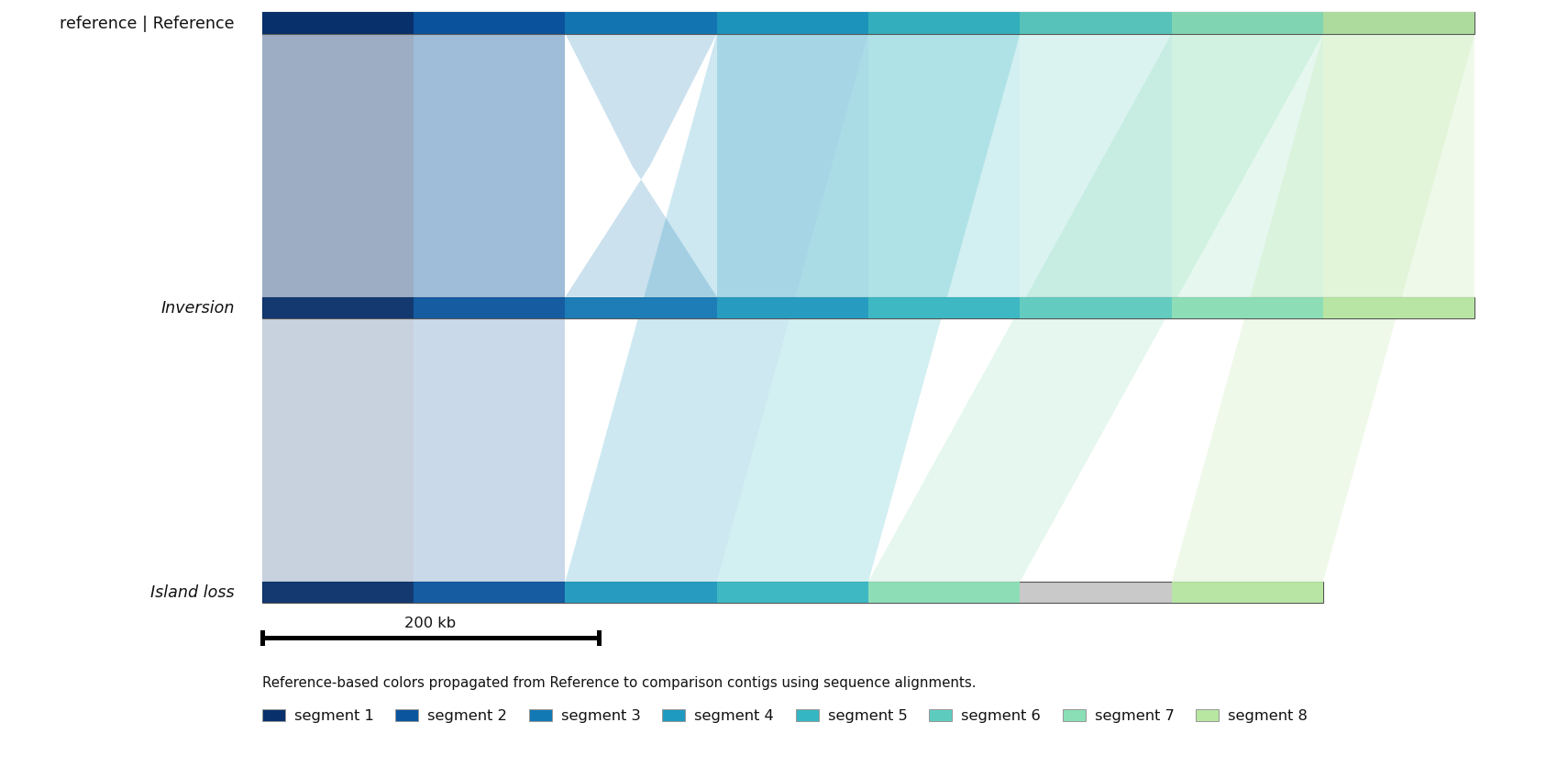
Genome Loom uses minimap2-based alignments and works well for compact genome comparisons, including plasmids, organellar genomes, and bacterial chromosomes. It can be used as a quick visual check before deeper analysis, as a figure-generation step for comparative genomics projects, or as a way to communicate structural differences among closely related assemblies.
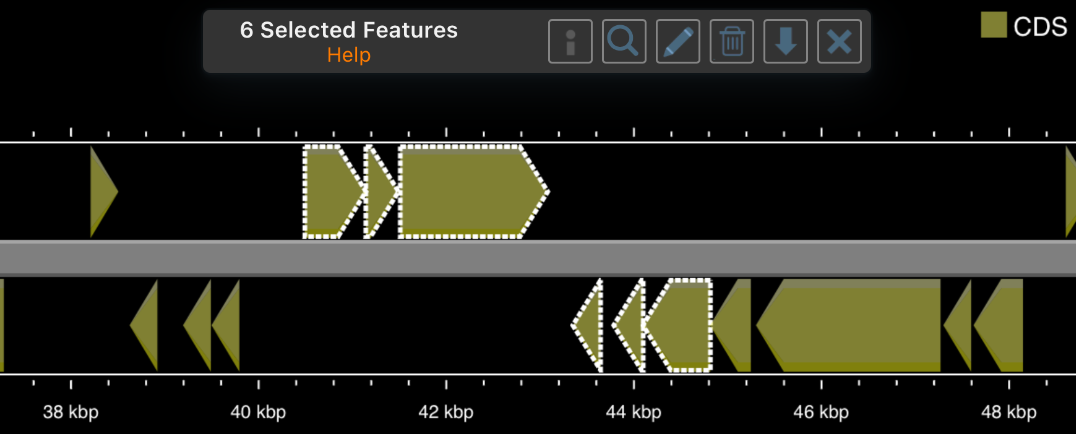
Proksee now includes a Selection Bar for working with selected map features. Users can quickly inspect, search, edit, delete, download, or clear selected features, with keyboard support for Shift+Click, Shift+Drag, Command/Control+A, and Escape.